
JBL Headphones
Harman Consumer, Inc.Music & Audio
4.614.02K Reviews
- Version
- 5.38.2
- Installs
- 50.00M
- Age Rating
- Everyone
Screenshots
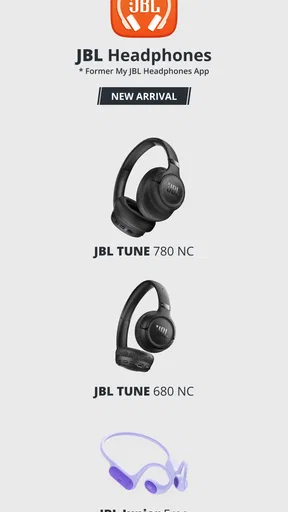
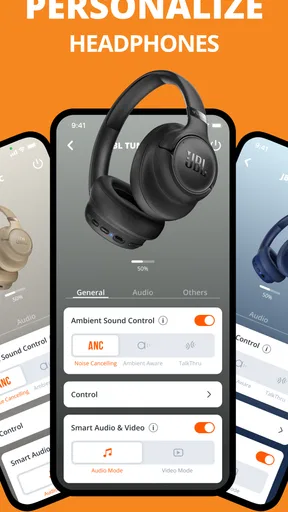
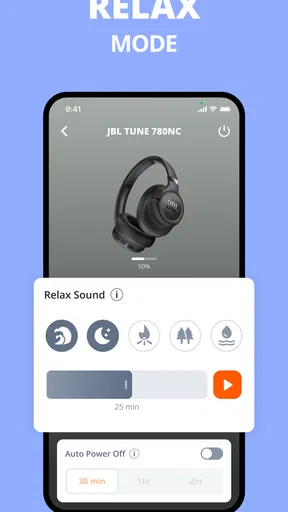
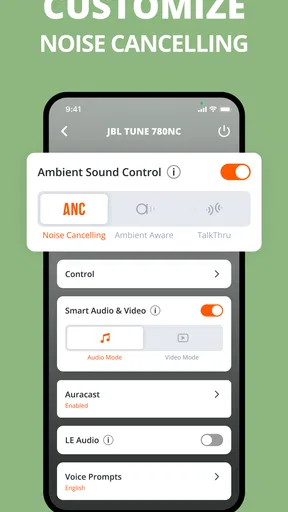
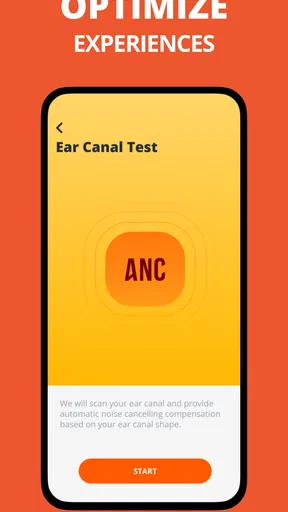
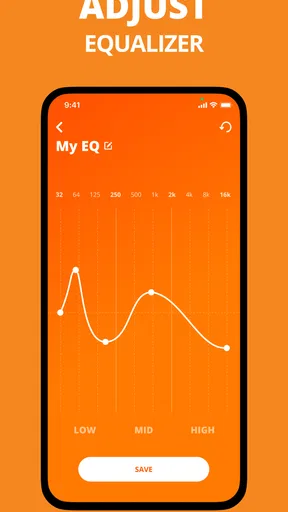
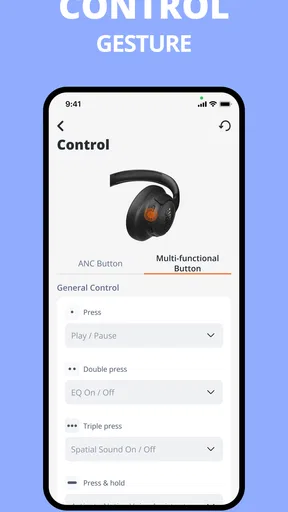
Our Review of JBL Headphones
 Analysis by Appyee
If you’re on the hunt for the perfect set of headphones, you've probably come across the JBL Headphones. I recently got my hands on these, and let me tell you, they're making quite a splash in the audio world. Let’s dive into what makes these headphones a must-have (or not) for your audio adventures.
Design That Speaks Volumes
First off, let’s talk about the design. The JBL Headphones sport a sleek and modern look, which is honestly pretty eye-catching. They come in a variety of colors, so whether you’re into something bold or prefer a more understated vibe, JBL has got you covered. The ear cushions are super comfy, making them perfect for long listening sessions. I mean, who wants to deal with ear fatigue, right?
Sound Quality That Hits the Right Notes
Now, onto the sound quality. With JBL, you can expect nothing less than superior sound. The bass is rich and punchy, without overpowering the mids and highs. Whether you’re jamming to the latest pop hits or enjoying a chill acoustic set, these headphones deliver a balanced audio experience. The noise-canceling feature is a game-changer, especially if you’re trying to tune out the hustle and bustle of daily life.
Features That Elevate the Experience
One of the standout features is the wireless capability. Say goodbye to tangled cords! The Bluetooth connection is seamless and reliable, allowing you to move around without any interruptions. Battery life is another area where these headphones shine. With up to 20 hours of playtime, you can keep the music going all day. Plus, a quick charge option gives you a couple of hours of playback with just a short charging session. Seriously, who doesn’t love that?
Ease of Use
The controls are intuitive and easy to use, even for those of us who aren’t particularly tech-savvy. You can easily switch tracks, adjust the volume, and take calls with just a few taps. And did I mention the voice assistant compatibility? Yup, whether you’re team Siri or Google Assistant, JBL has your back.
Is It Worth It?
So, should you take the plunge and get yourself a pair of JBL Headphones? If you value comfort, sound quality, and convenience, these are definitely worth considering. They might not be the cheapest option out there, but the features and performance make them a solid investment.
In conclusion, the JBL Headphones are perfect for anyone looking to enhance their audio experience with style and functionality. They’ve got the looks, the sound, and the features to back it all up. If you decide to give them a try, you might just find your new favorite audio companion. Happy listening!
Privacy and Permissions
See what permissions an app requests and how it handles your data.
- Location
- approximate location (network-based), precise location (GPS and network-based)
- Photos/Media/Files
- read the contents of your USB storage, modify or delete the contents of your USB storage
- Storage
- read the contents of your USB storage, modify or delete the contents of your USB storage
- Camera
- take pictures and videos
- Microphone
- record audio
- Other
- view network connections, pair with Bluetooth devices, access Bluetooth settings, full network access, change your audio settings, reorder running apps, control vibration, prevent device from sleeping
Verdict
Strengths of JBL Headphones
- Excellent sound quality and clarity.
- Comfortable fit for long wear.
- Long-lasting battery life.
- User-friendly app interface.
- Stable Bluetooth connectivity.
Limitations of JBL Headphones
- Limited customization options.
- App can occasionally lag.
- Price is on the higher side.
- Microphone quality could improve.
- Limited color options available.
Other Releases by Harman Consumer, Inc.
View All
JBL Portable
Entertainment4.7
Similar Picks in This Category
View All
YouTube Music
Google LLC4.4

Samsung Music
Samsung Electronics Co., Ltd.3.8

Spotify: Music and Podcasts
Spotify AB4.3

JioSaavn - Music & Podcasts
Saavn Media Limited4.3

Lark Player:Music Player & MP3
Lark Player Studio - Music, MP3 & Video Player4.6

StarMaker: Sing Karaoke Songs
SKYWORK AI PTE. LTD.4.3
Frequently Asked Questions
How do I connect my JBL Headphones to my device?
To connect your JBL Headphones, first ensure Bluetooth is enabled on your device. Turn on your headphones and activate pairing mode by pressing and holding the Bluetooth button until you see the LED light flash. Select the headphones from the list of available devices on your smartphone or tablet to complete the connection.
What should I do if my JBL Headphones won’t charge?
If your JBL Headphones aren't charging, first check the charging cable and port for any visible damage or debris. Try using a different cable or power source. Ensure the charging port is clean and free from obstructions. If the problem persists, it may be necessary to contact JBL customer support for further assistance.
Can I use JBL Headphones with voice assistants like Siri or Google Assistant?
Yes, JBL Headphones can be used with voice assistants such as Siri or Google Assistant. To activate your voice assistant, press and hold the dedicated button on your headphones. You may need to configure settings on your device to enable this feature, ensuring seamless integration with your preferred assistant.
How do I update the firmware on my JBL Headphones?
To update the firmware, download the JBL Headphones app from the App Store or Google Play. Once installed, connect your headphones via Bluetooth and open the app. It will automatically check for updates and prompt you to download and install any available firmware updates to improve performance and add new features.
Are JBL Headphones water-resistant or waterproof?
JBL Headphones offer varying levels of water resistance depending on the model. Some are designed with IPX ratings that provide protection against sweat and light rain, making them suitable for workouts and outdoor use. However, they are not completely waterproof, so avoid submerging them in water.
